
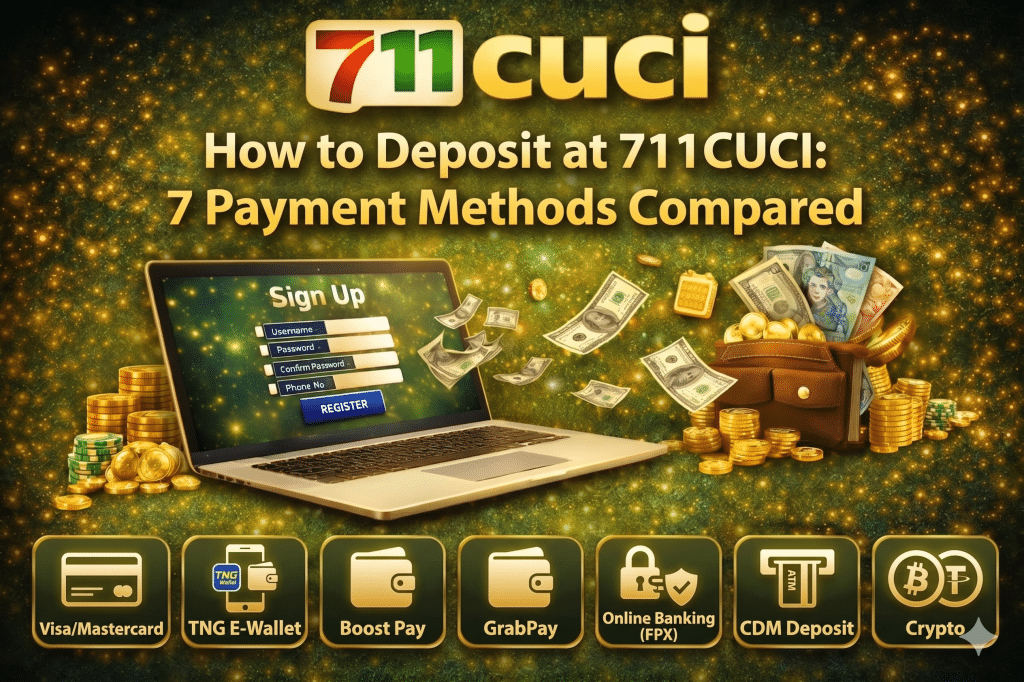
7 Payment Methods Available to Deposit at 711CUCI
Funding your 711CUCI account should take less than a minute, but only if you pick the right deposit method. The wrong choice can mean unnecessary fees, slow processing, or hitting a minimum you didn’t expect. This guide walks through 7 payment method options available at 711CUCI, side by side, so you can pick the one that fits your situation in seconds — not after three failed attempts.
We’ll cover Touch ‘n Go eWallet, Boost, GrabPay, MAE, online bank transfer (FPX), DuitNow QR, and crypto. For each one you’ll see the minimum deposit, processing time, fees (if any), and the exact steps to fund your account. There’s also a comparison table near the end so you can scan everything at a glance.
If you haven’t created your account yet, register at 711CUCI here first — deposits only work on verified accounts.
Before you deposit: 3 things to check
Before picking a method, three details will save you time later.
Your account must be verified.
First-time deposits require a fully verified account — the name on your bank or e-wallet must match the name on your 711CUCI profile. Mismatched names are the single most common reason deposits get held in review.
Pick the right currency.
711CUCI processes deposits in MYR (Malaysian Ringgit). If you’re depositing from a foreign card or wallet, conversion fees from your provider apply on top of anything 711CUCI charges.
Know your bonus eligibility.
If you’re claiming a welcome or reload bonus, some methods qualify and some don’t. Crypto deposits, for example, sometimes have separate bonus terms. Check the promotions page before you deposit, not after.
Method 1: Touch ‘n Go eWallet (TNG)
Touch ‘n Go eWallet is the most widely used e-wallet in Malaysia and the default fastest option for most 711CUCI players. Funds typically land in your account within 1–3 minutes, with no fee from 711CUCI’s side.
How to deposit via Touch ‘n Go eWallet:
- Log in to your 711CUCI account and click Deposit.
- Select Touch ‘n Go eWallet from the e-wallet list.
- Enter your deposit amount and click Submit.
- You’ll see the destination TNG number (or DuitNow ID) and a unique reference code — copy both.
- Open your TNG eWallet app, send the exact amount to the displayed number, and include the reference code in the notes field.
- Return to 711CUCI and click Confirm Payment. Your balance updates within minutes.
Tip: Always send the exact amount shown. Sending MYR 100.01 instead of MYR 100.00 can flag the transaction for manual review and add 30+ minutes of delay.
Method 2: Boost
Boost is the second-most popular e-wallet for 711CUCI deposits and a solid backup if your TNG balance runs low. Speed and cost are nearly identical to Touch ‘n Go.
The flow is the same as TNG: select Boost at checkout, get the destination number and reference code, send the exact amount through your Boost app, and confirm. One quirk worth knowing — Boost occasionally adds a brief “pending” status on transfers above MYR 1,000. If you see this, wait 2–3 minutes before contacting support.
Method 3: GrabPay
GrabPay is widely used by players who already use Grab for rides and food delivery. Speed matches TNG and Boost, though daily wallet limits in your Grab app can be tighter than dedicated finance apps.
The deposit flow mirrors TNG and Boost. If you’re a high-volume depositor, raise your GrabPay wallet limit in the Grab app settings before you hit it mid-session — the in-app limit is separate from anything 711CUCI sets.
Method 4: MAE (Maybank)
MAE by Maybank works as both a banking app and an e-wallet, and is the preferred option for many 711CUCI players who already bank with Maybank. Transfers from MAE feel like e-wallet transfers in speed but offer banking-grade limits.
Same flow: select MAE at checkout, transfer the exact amount with the reference code, confirm. Because MAE supports DuitNow transfers natively, you can also use it to deposit via the DuitNow QR method (covered below) — pick whichever is simpler at the moment.
Method 5: Online bank transfer (FPX)
FPX is Malaysia’s main online banking payment rail and the most reliable method for larger deposits. 711CUCI supports the major Malaysian banks — Maybank, CIMB, Public Bank, RHB, Hong Leong, Bank Islam, Bank Rakyat, and AmBank, among others. Limits are higher than e-wallets, but processing depends on the bank’s clearing window.
How to deposit via online bank transfer:
- At checkout, select Bank Transfer / FPX and pick your bank.
- The system displays the destination account number, account holder name, and reference code.
- Transfer the exact amount via your bank’s mobile or internet banking app, ATM, or branch. Use the reference code in the transfer notes if your bank allows it.
- Take a screenshot of the successful transfer.
- Return to 711CUCI, click Confirm Payment, and upload the screenshot if requested.
Method 6: DuitNow QR
DuitNow QR is Malaysia’s unified QR standard, supported by virtually every Malaysian bank and e-wallet (TNG, Boost, GrabPay, MAE, and all FPX banks). Pick it when you want a single deposit method that works no matter which app you have open.
Minimum deposit: [insert your minimum] Processing time: 1–5 minutes Fee: None from 711CUCI
At checkout, choose DuitNow QR, scan the displayed QR code with any Malaysian banking or e-wallet app, confirm the amount, and pay. The reference code is embedded in the QR, so there’s no manual code entry — fewer chances of error than the standard e-wallet method. This makes DuitNow QR one of the lowest-friction options for new players.
Method 7: Crypto (USDT)
For players who hold crypto, 711CUCI supports USDT deposits — typically on the TRC-20 network, which has the lowest network fees. Crypto deposits are useful if you want to avoid Malaysian banking rails entirely or already manage funds in stablecoin.
How to deposit via USDT:
- Select Crypto / USDT (TRC-20) at checkout.
- Copy the displayed wallet address. Always double-check the network is TRC-20 before sending — sending USDT on the wrong network (ERC-20, BEP-20) can result in permanent loss.
- Send the USDT from your exchange or external wallet to the displayed address.
- Wait for the required network confirmations. Your balance credits in MYR at the live exchange rate at the moment of confirmation.
Heads up on bonuses: Crypto deposits sometimes have separate bonus T&Cs from fiat methods. Check the promotions page before depositing if you plan to claim a bonus.
Comparison table: All 7 deposit methods
Method | Min deposit | Speed | Fee | Best for |
Touch ‘n Go eWallet | RM1 | 1–3 min | None | Fastest e-wallet deposits |
Boost | RM1 | 1–5 min | None | TNG backup |
GrabPay | RM1 | 1–5 min | None | Grab users |
MAE | RM1 | 1–10 min | None | Maybank customers |
Bank transfer (FPX) | RM1 | 5–30 min | None (bank fees may apply) | Large deposits |
DuitNow QR | RM1 | 1–5 min | None | Universal option |
USDT (TRC-20) | 1USDT | 5–30 min | Network gas | Crypto holders |
What to do after your first deposit
Once funds land, you have a few next steps depending on what you want to do.
If you’re claiming a welcome bonus, head to the promotions page and follow the claim flow — bonuses don’t credit automatically on most offers. If you want to start playing immediately, jump to 711CUCI Slots, Live Casino, or the Sportsbook. And before your first big session, take 2 minutes to read the withdrawal guide so you understand turnover requirements upfront — it’s the difference between smooth cashouts later and frustrating “withdrawal denied” messages.
Final word
For most players, e-wallets (Touch ‘n Go, Boost, GrabPay, MAE) are the fastest and lowest-friction deposit method. Bank transfer wins for large amounts. DuitNow QR is the easiest universal option. Crypto suits players who already hold USDT.
The one rule that applies across every method: send the exact amount, use the reference code, and keep names matching. Get those three right and your deposit lands in minutes, every time. Try now at 711CUCI today!
